
For families
It takes a village. Give it a home.
Bring your family’s schedules, routines, and the people in your life together in one place.
Why Banjo
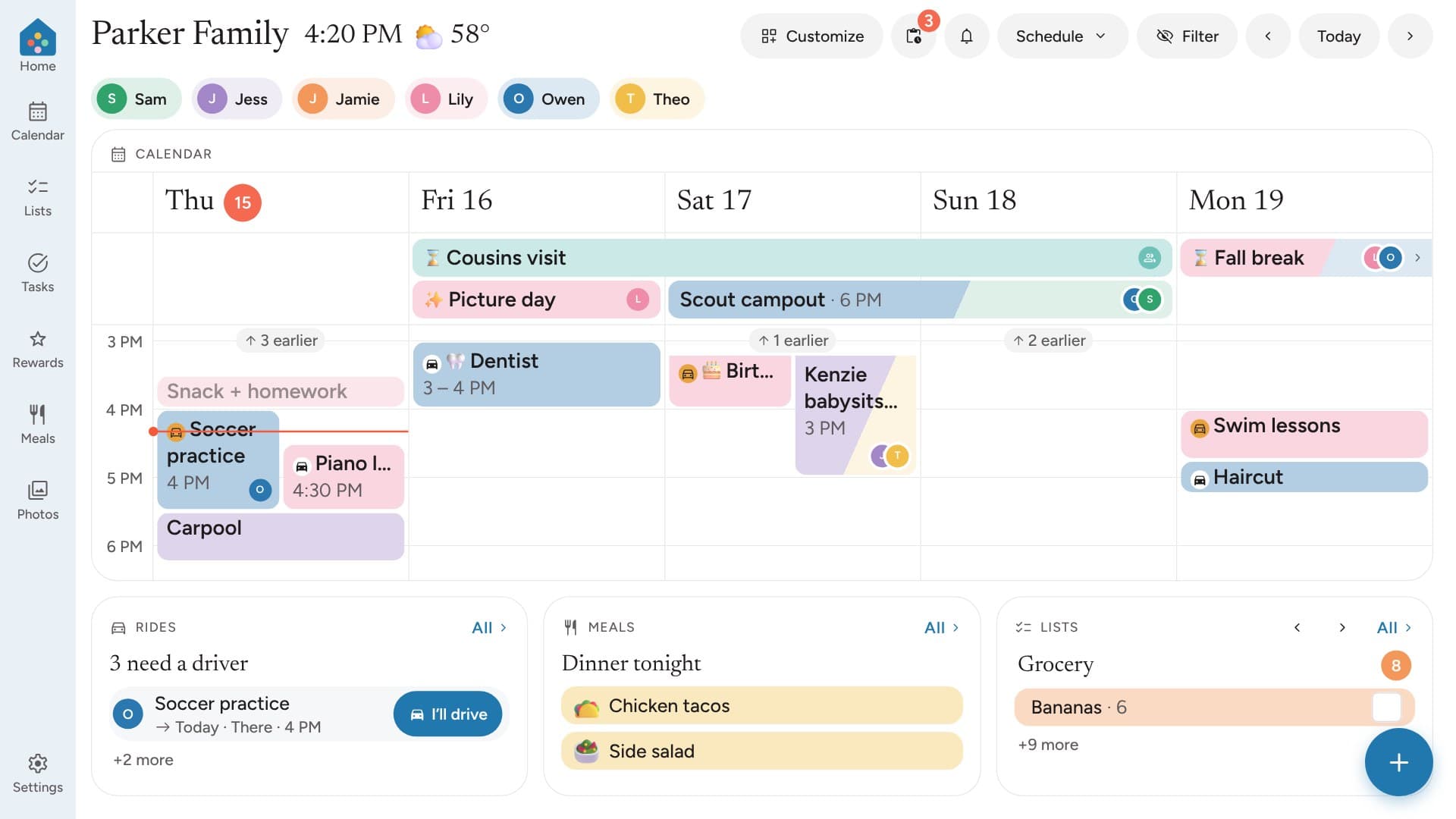
Your village, all in one place
Banjo brings the everyday pieces of family life together, with room for everyone who helps.
One home base
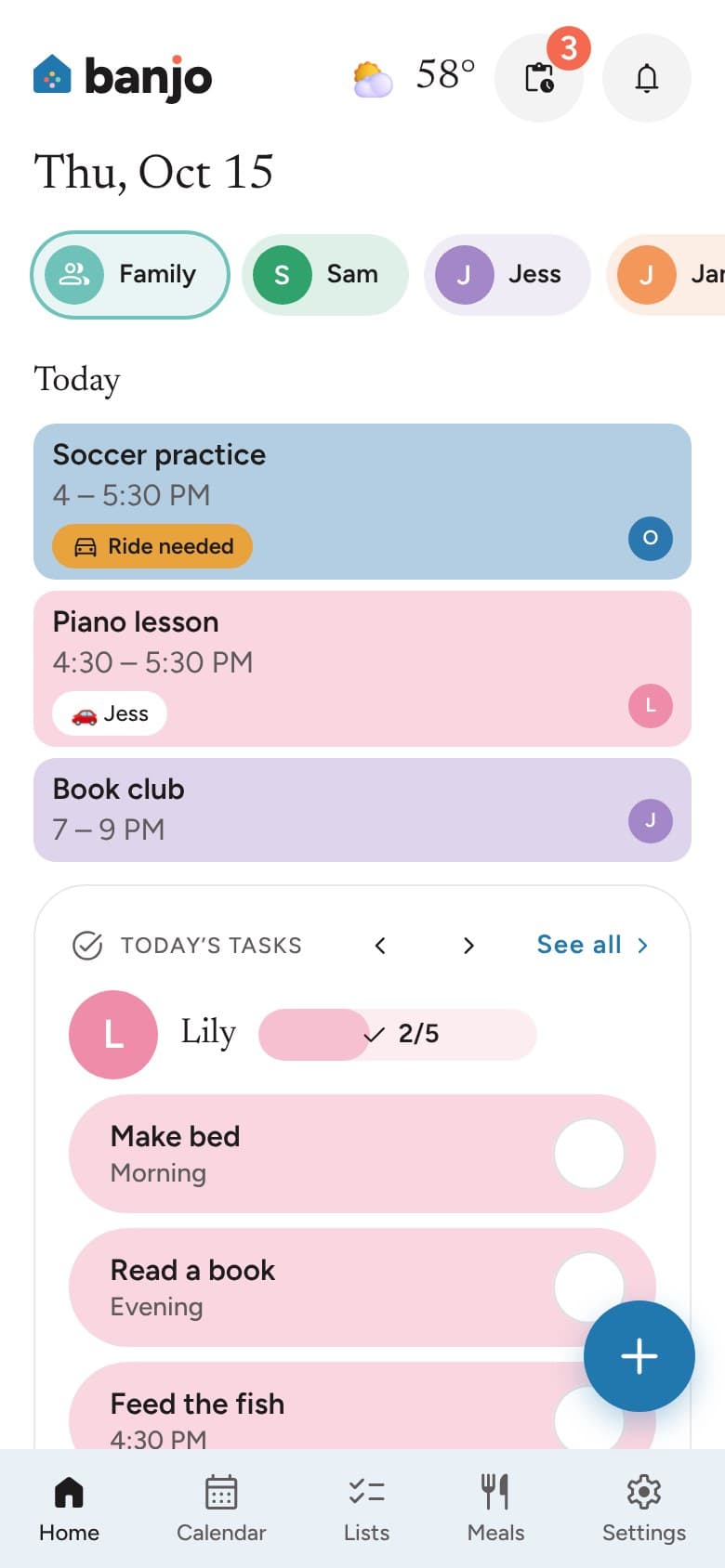
Plans, lists, meals and routines in one place everyone can see.
Room for everyone who helps
Bring grandparents, nannies, sitters and everyone who helps into your family’s Banjo. Everyone gets their own sign-in.
You decide who sees what
Give each person the access that makes sense for them. Share the family calendar without sharing everything.
Fewer loose ends
Rides, to-dos and school lunch stay in view, so less slips through.
Easier evenings
Dinner plans and family recipes sit right next to the week.
Bring your own screen
A wall screen is optional. Use a tablet, monitor or TV you already have.
Shared calendar
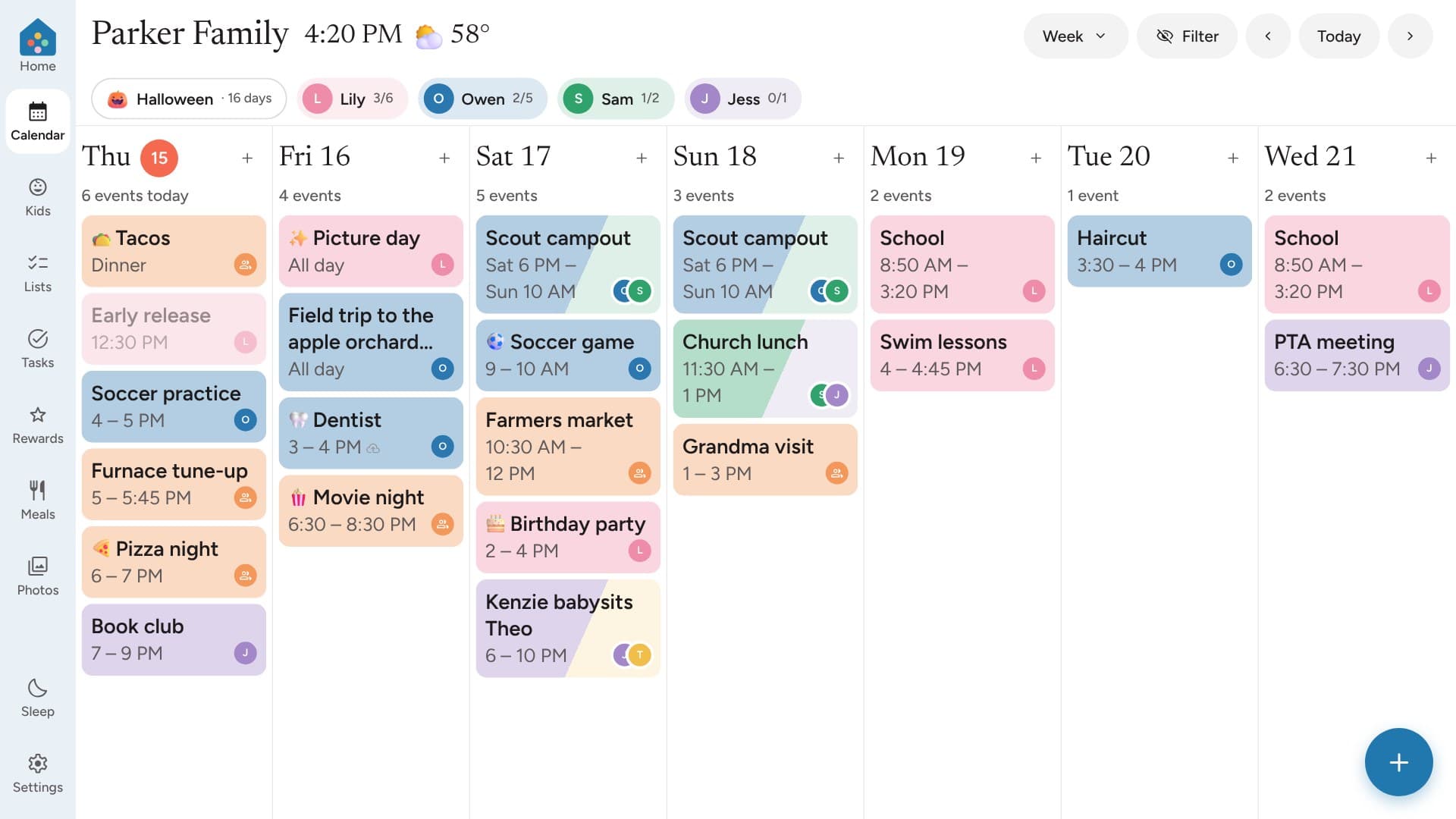
Everyone on the same page
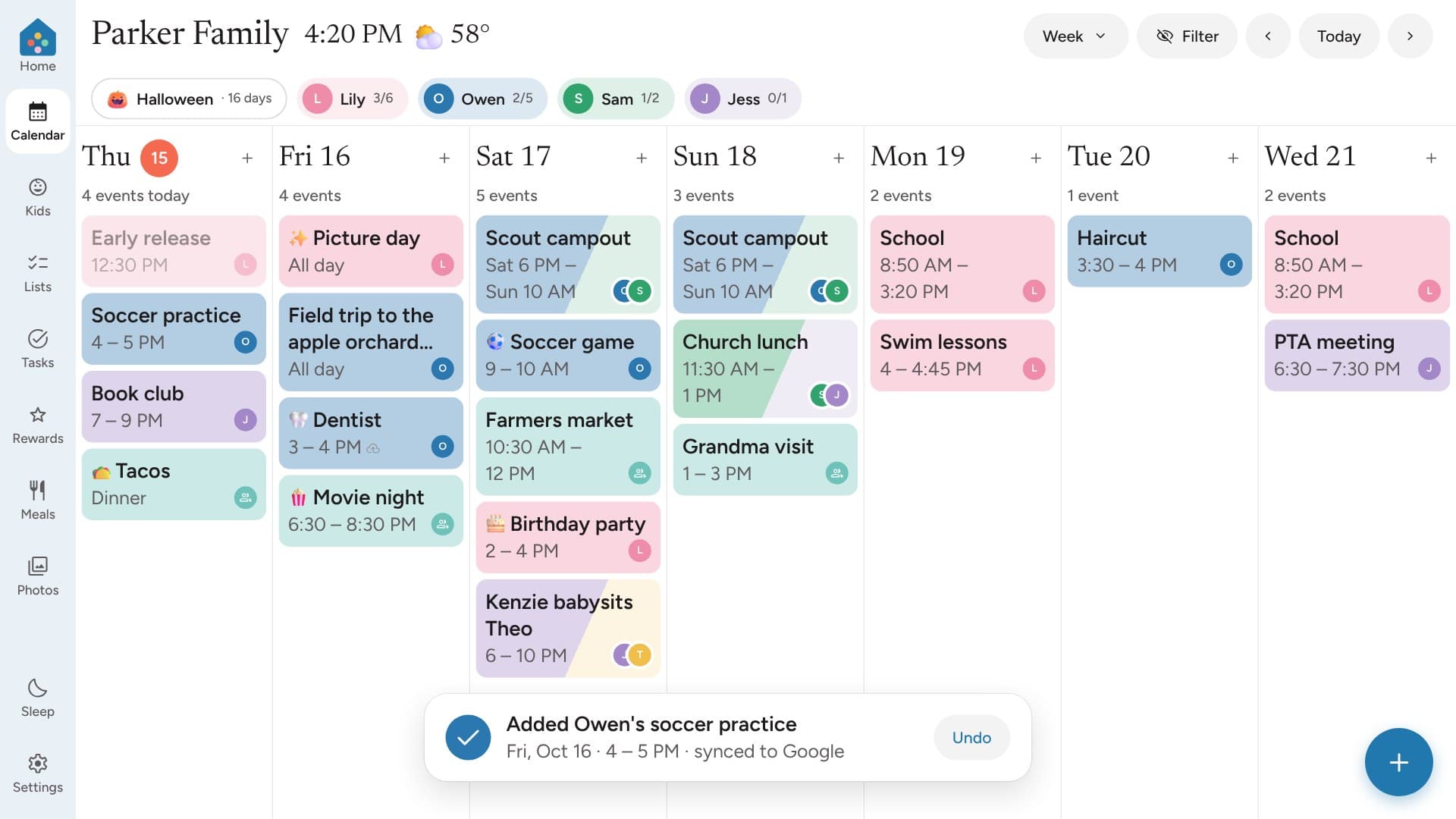
Banjo works with Google Calendar both ways, so a plan made on one phone shows up for everyone.
Each person has a color, so the week makes sense at a glance.
Rides
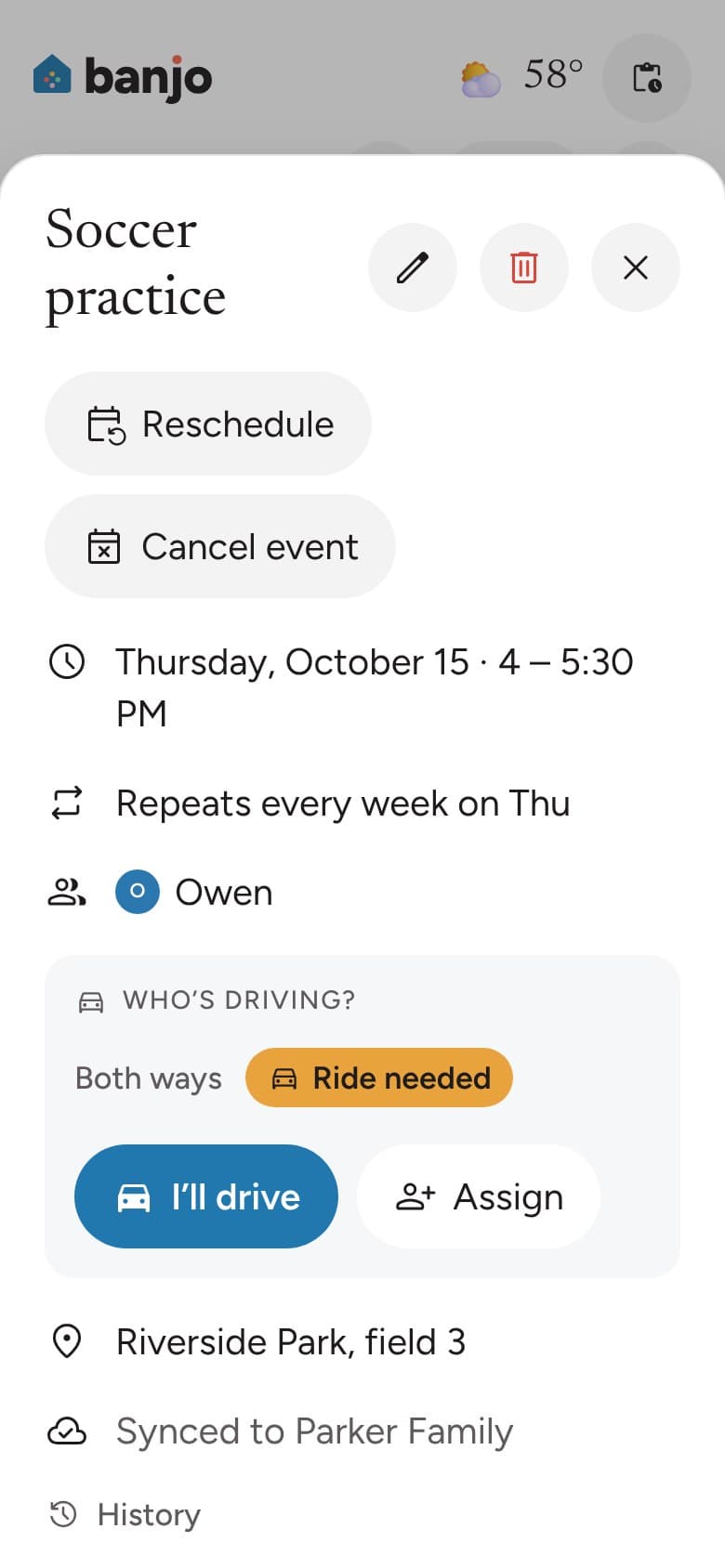
Who’s driving? Now everyone knows.
Each practice and party shows who’s taking the kids and who’s bringing them home.
Offer to drive with one tap, and everyone hears about it.
Carpools
Carpools that run themselvesComing soon
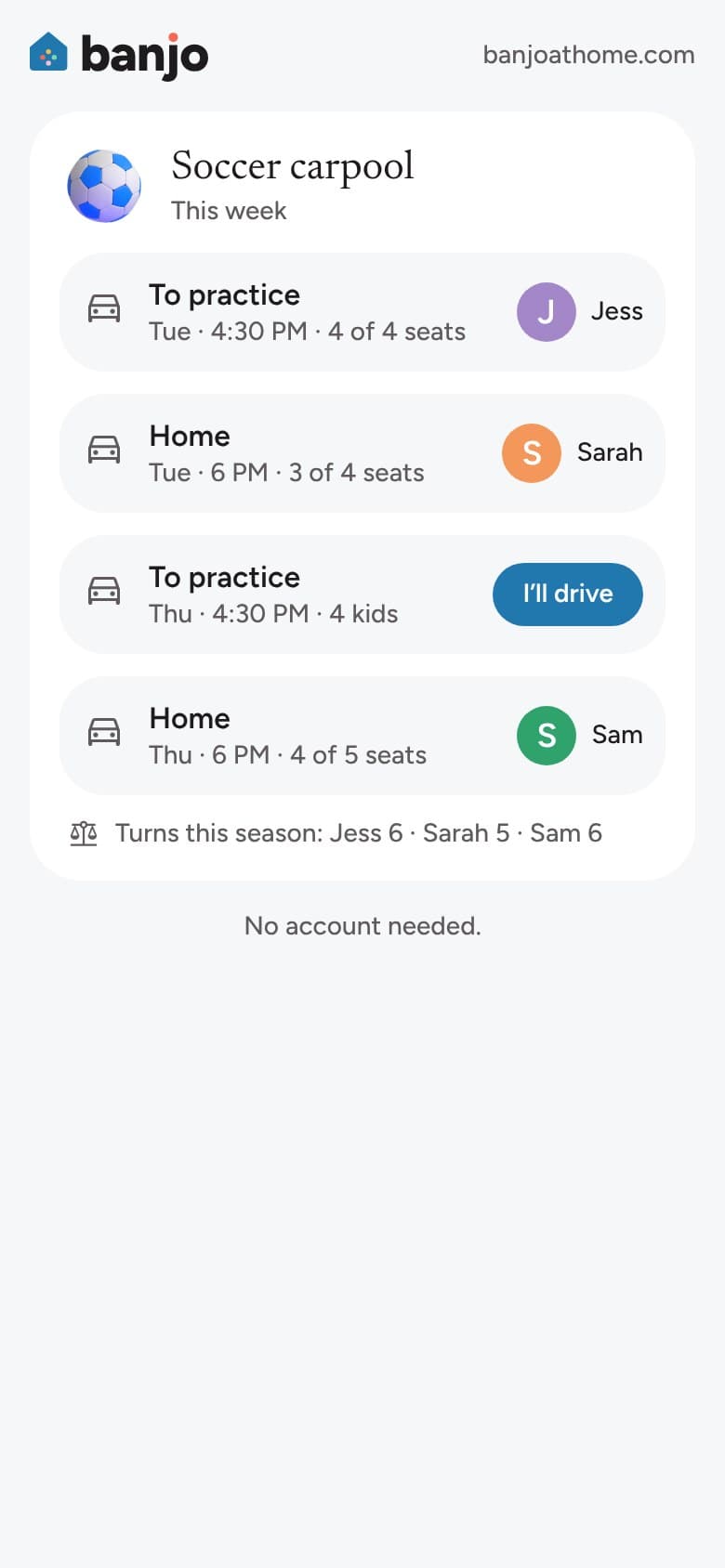
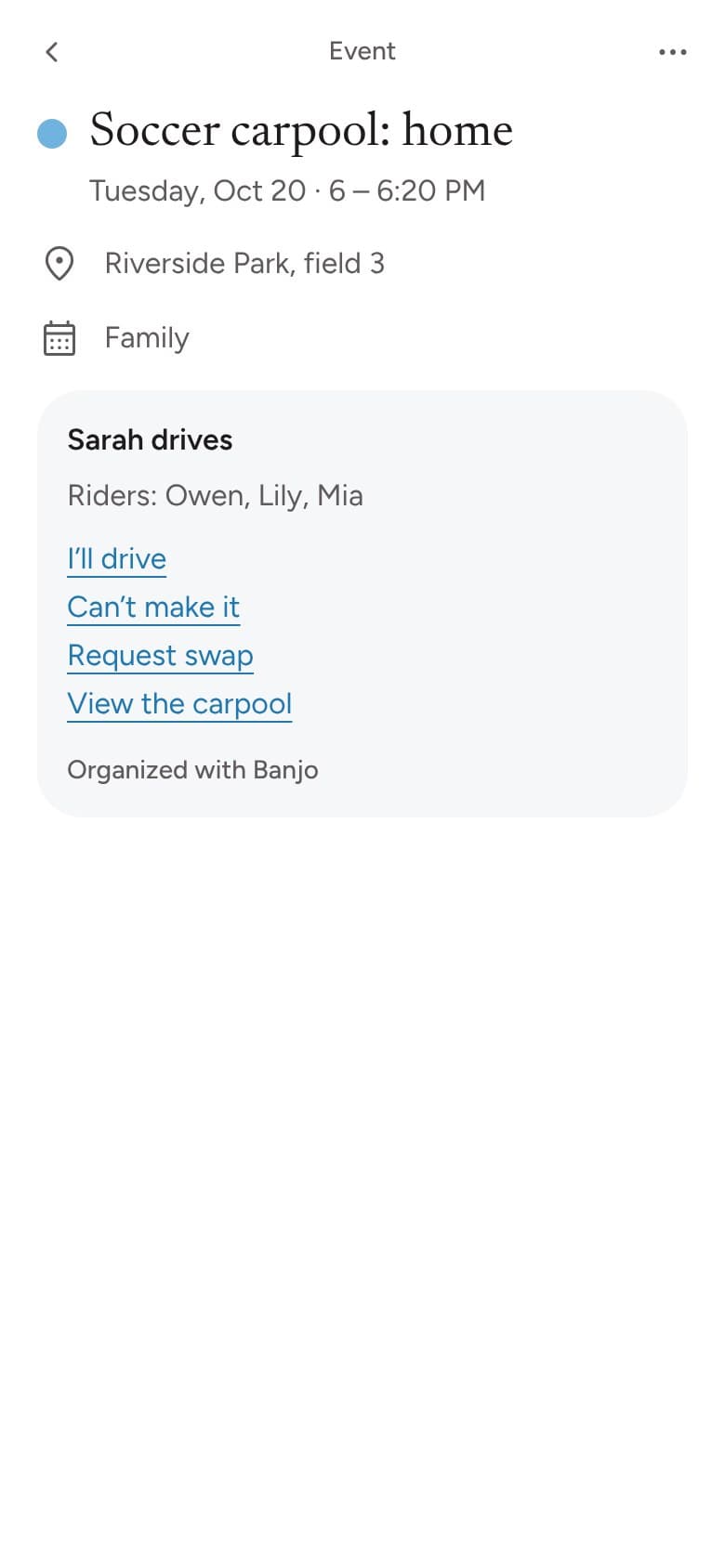
Other families get each ride right in their own calendar, even on the wall calendar they already have. They can tap I’ll drive, Can’t make it or Swap from the event, no app needed.
Turns stay fair, open rides go to the whole group, and seats and boosters are counted. A quick Picked up and Dropped off keeps every parent in the loop. The team’s schedule comes in on its own, and it’s all free.
School email
School emails, sorted for youComing soon
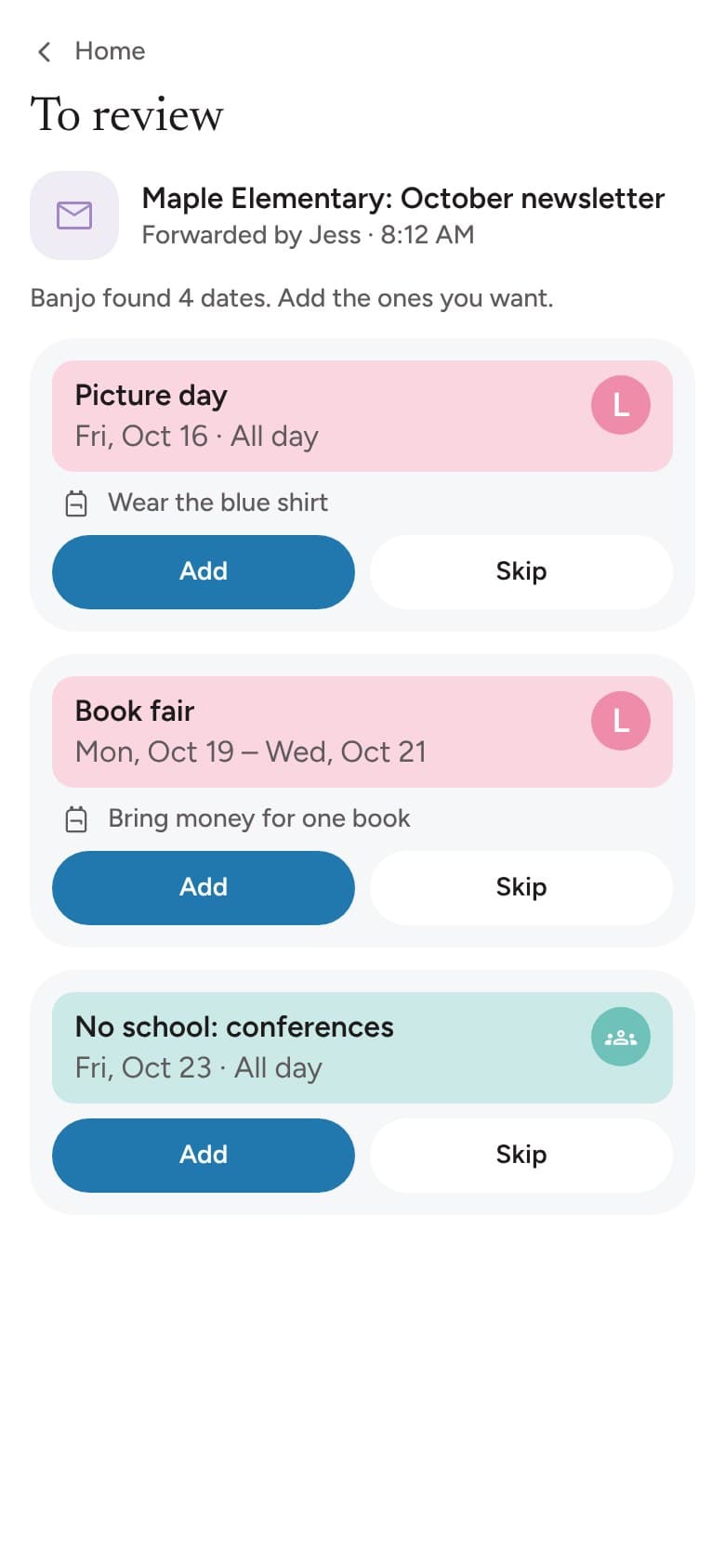
Forward the school newsletter to your family’s Banjo address. Banjo picks out the dates and what to bring.
You look them over before anything goes on the calendar.
Snap Anything
Snap the flyer, skip the typingComing soon
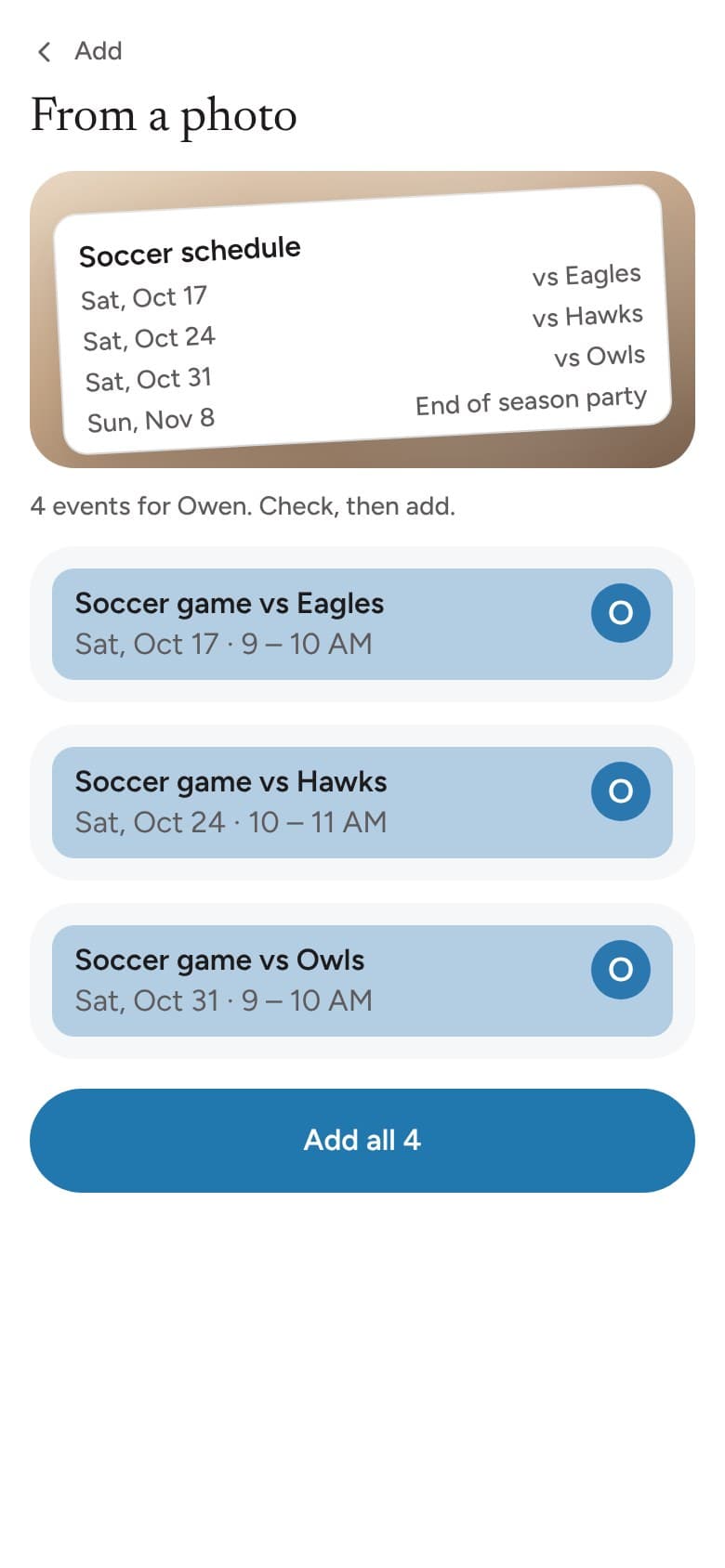
Take a photo of a flyer, a team schedule or an invitation. Banjo turns it into events for you to check.
Shopping lists
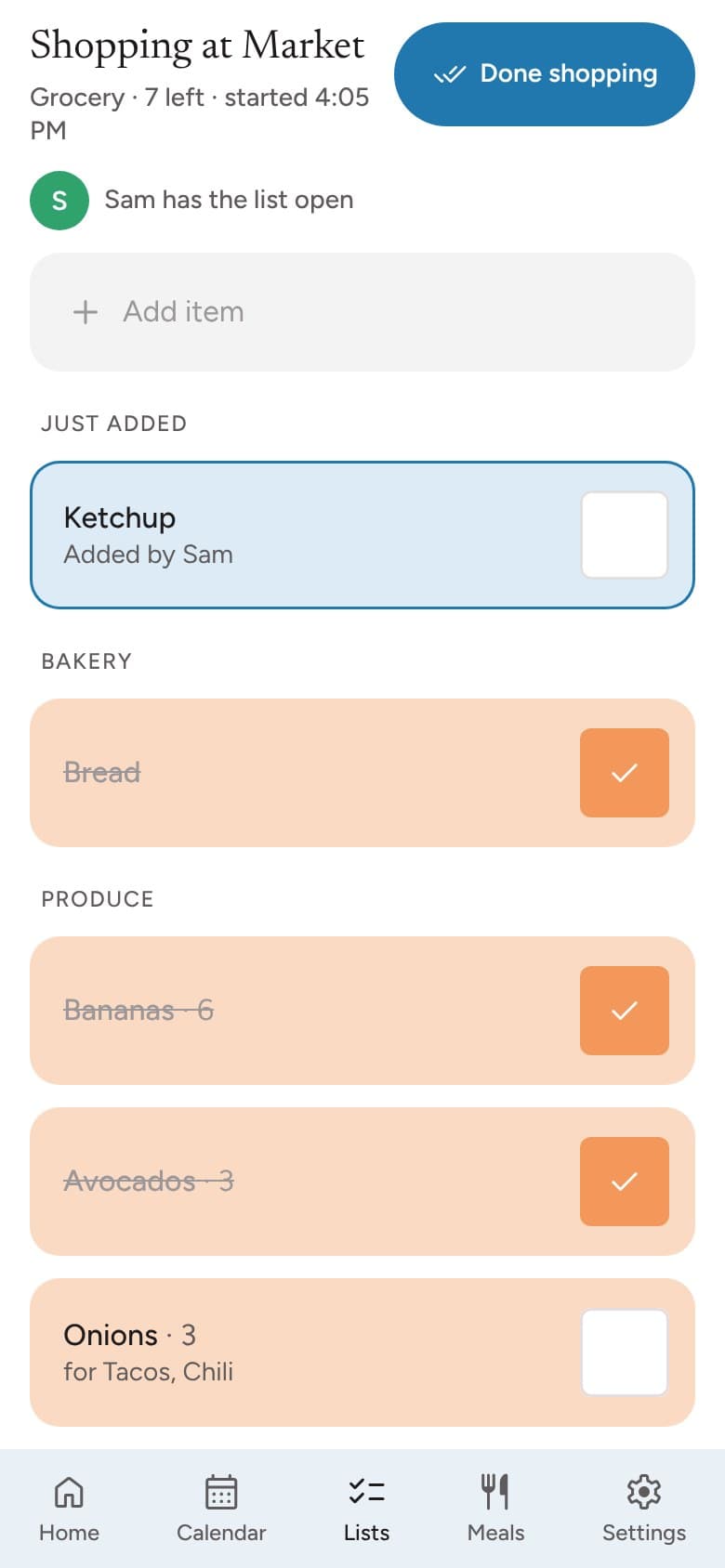
A shopping list the whole family shares
Add things as you think of them, and watch items get checked off while someone is at the store.
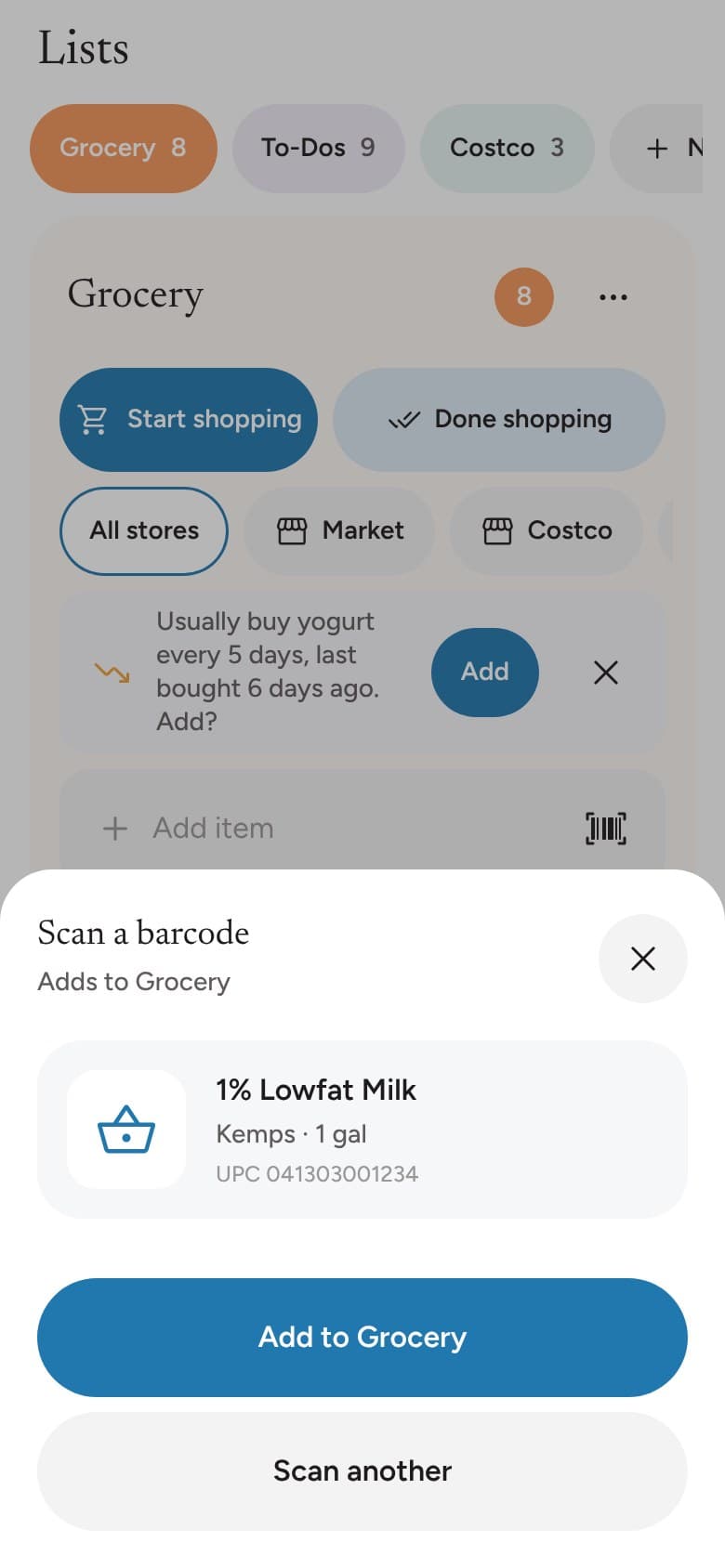
Scan a barcode to add it. Recipe ingredients come in with the right amounts.
To-dos
A little less to keep in your head
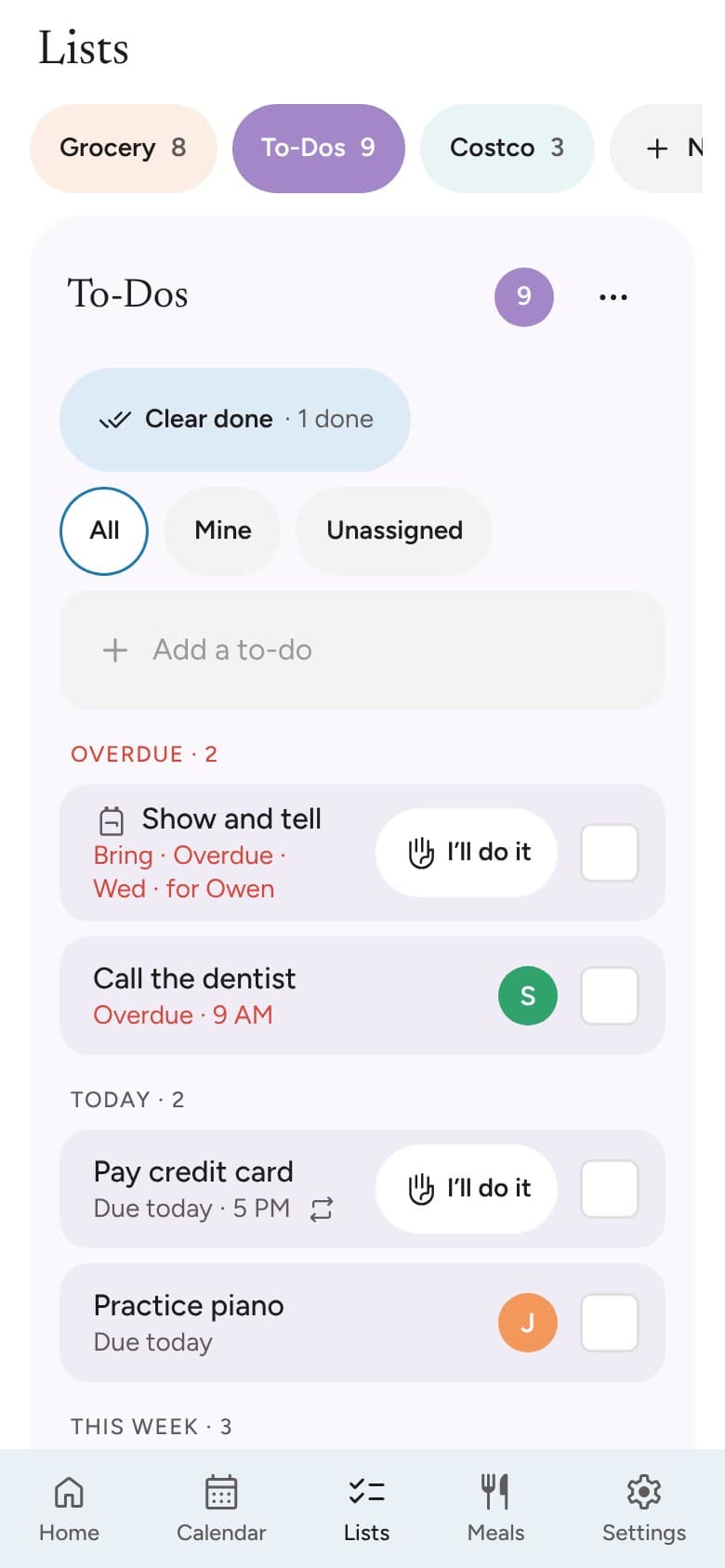
Give a to-do a day and a time, hand it to someone, and Banjo sends a friendly reminder.
Type it the way you’d jot it down, like “call the dentist Fri 5pm”.
Dinner and recipes
Dinner, planned ahead
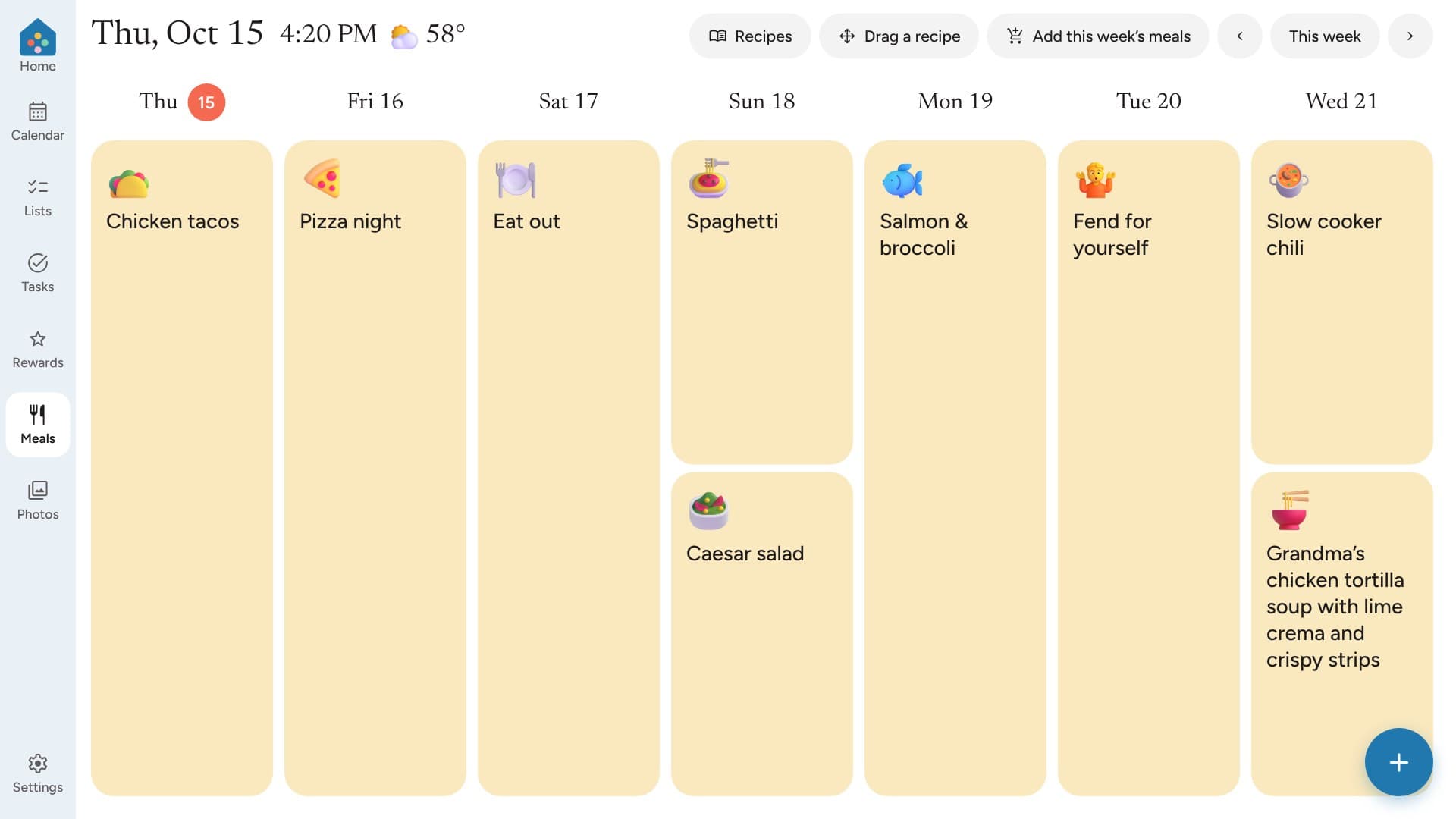
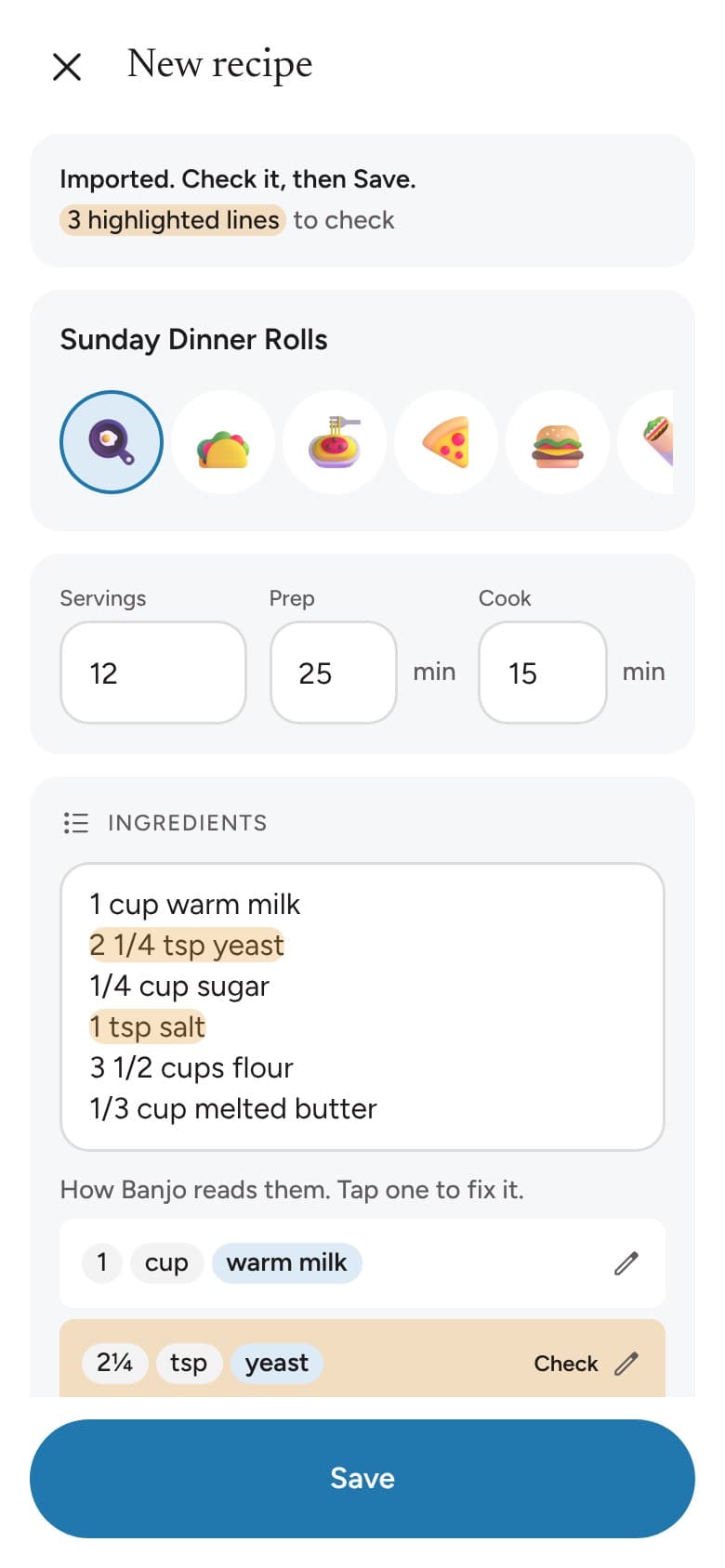
Plan the week’s dinners in a few taps and keep the family’s favorite recipes together.
Save a recipe from a link or a photo of the cookbook page, then send what you need to the shopping list.
Chores and rewards
Routines kids can follow on their own
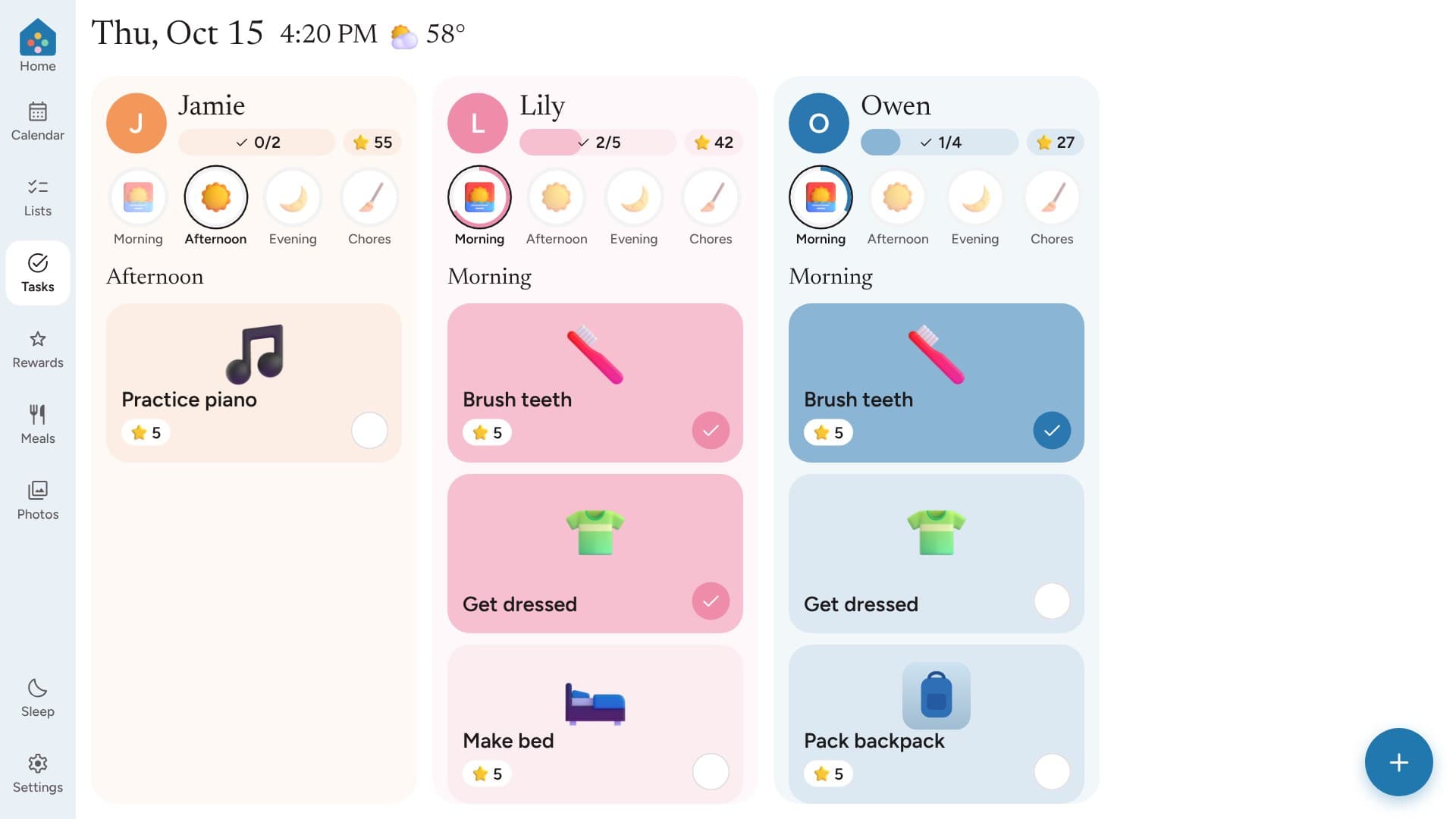
Morning, afternoon and evening chores with big pictures, so even little ones know what comes next.
Stars add up to rewards you choose together.
Kid Mode
A screen made for little handsComing soon
Kids tap their picture to see their day, their chores and their stars, in pictures and words.

Voice
Just ask out loudComing soon
Say “Hey Banjo, add milk” or ask what’s happening tomorrow, on the kitchen screen or with Siri on your phone.
Tomorrow Prep
Calmer mornings, sorted the night beforeComing soon
Each evening, Banjo shows what every kid needs for tomorrow, from the library book to the gym shoes.

Kitchen screen
A kitchen screen, if you’d like oneComing soon
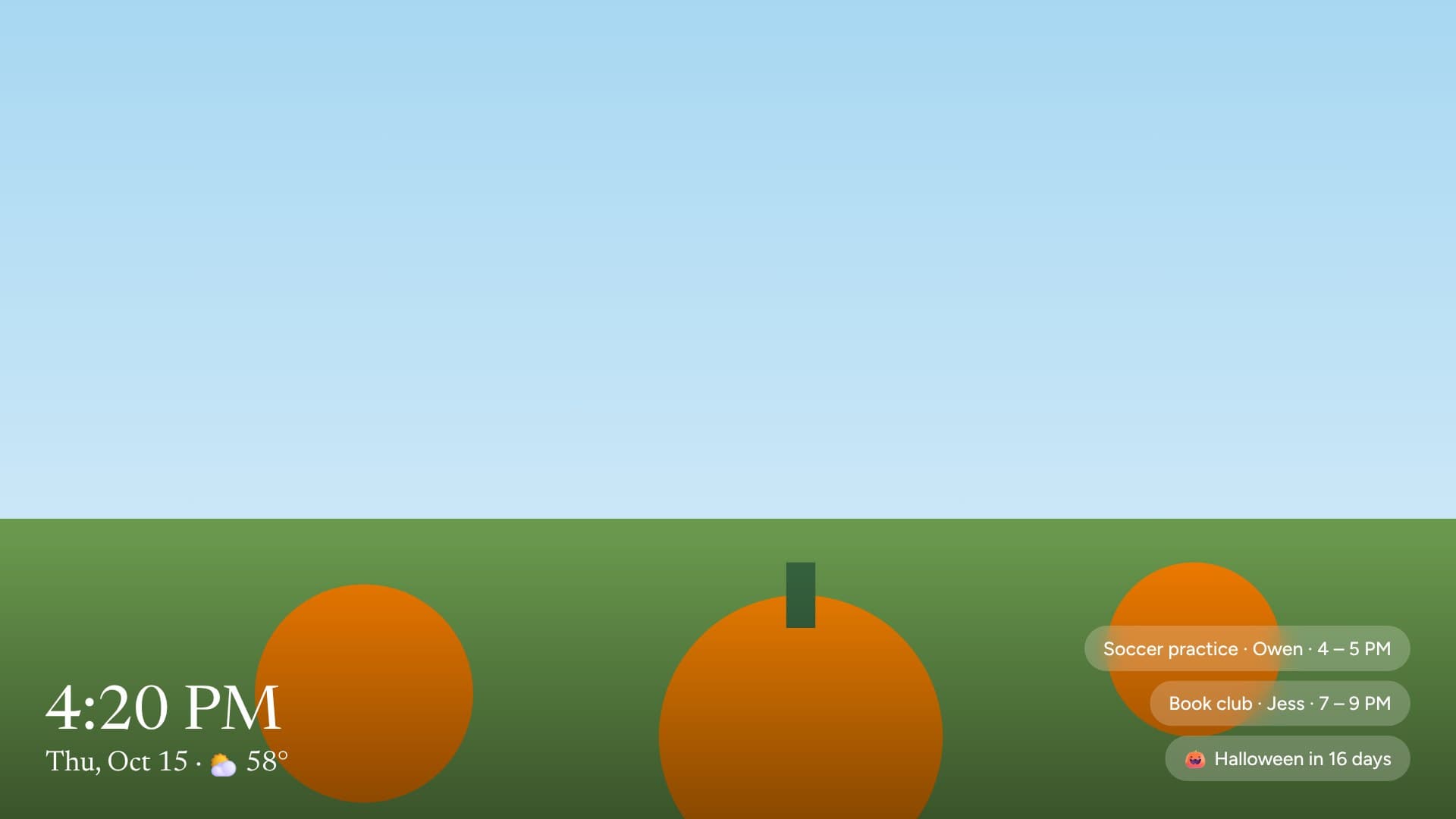
Bring your own touchscreen and pair it with a code from your phone. It keeps going when the Wi-Fi drops and updates itself overnight.
Family photos play while it rests, it dims at night, and a parent PIN keeps settings safe.
And more
The little things that help
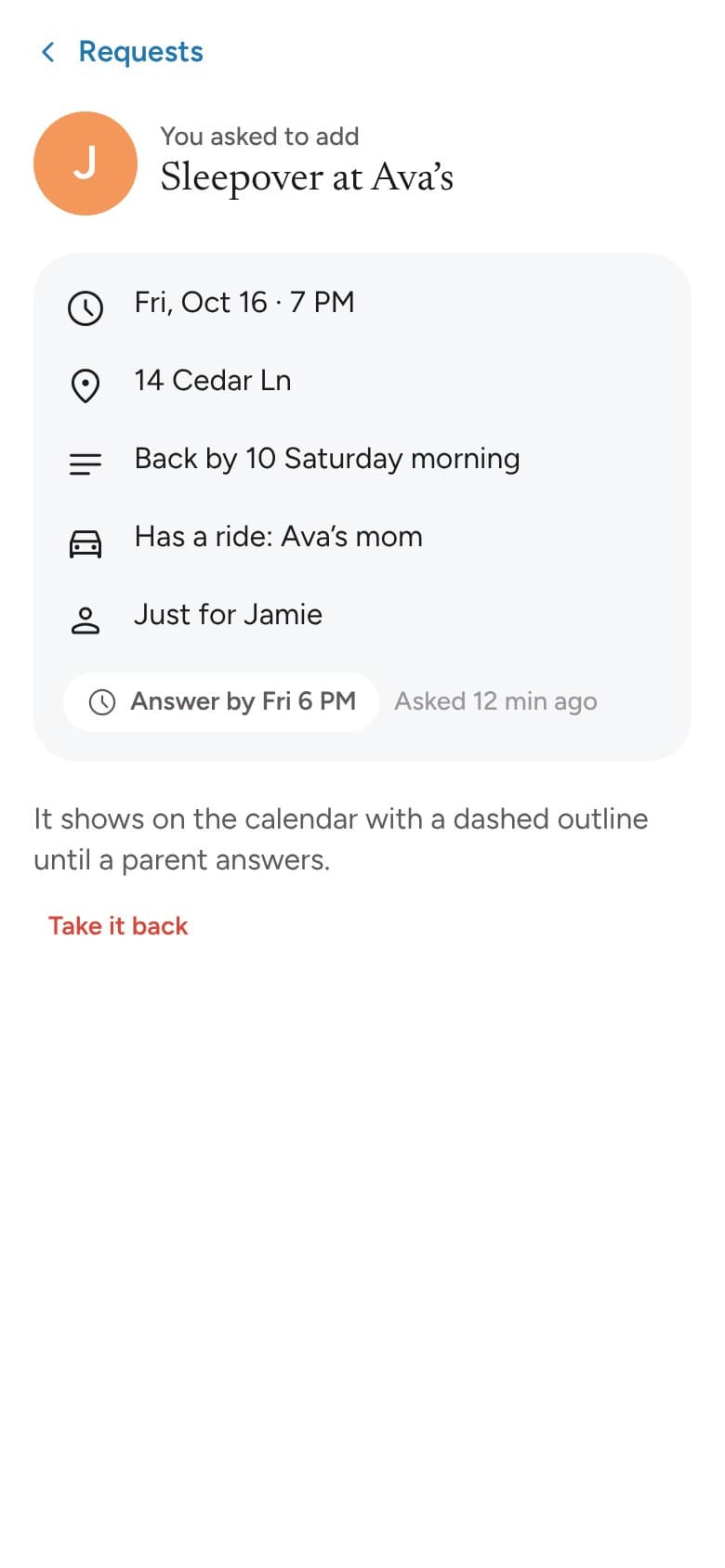
Teens can join in
Teens get their own sign-in. They see the family calendar and ask before adding or changing plans, and a parent can say yes with one tap.
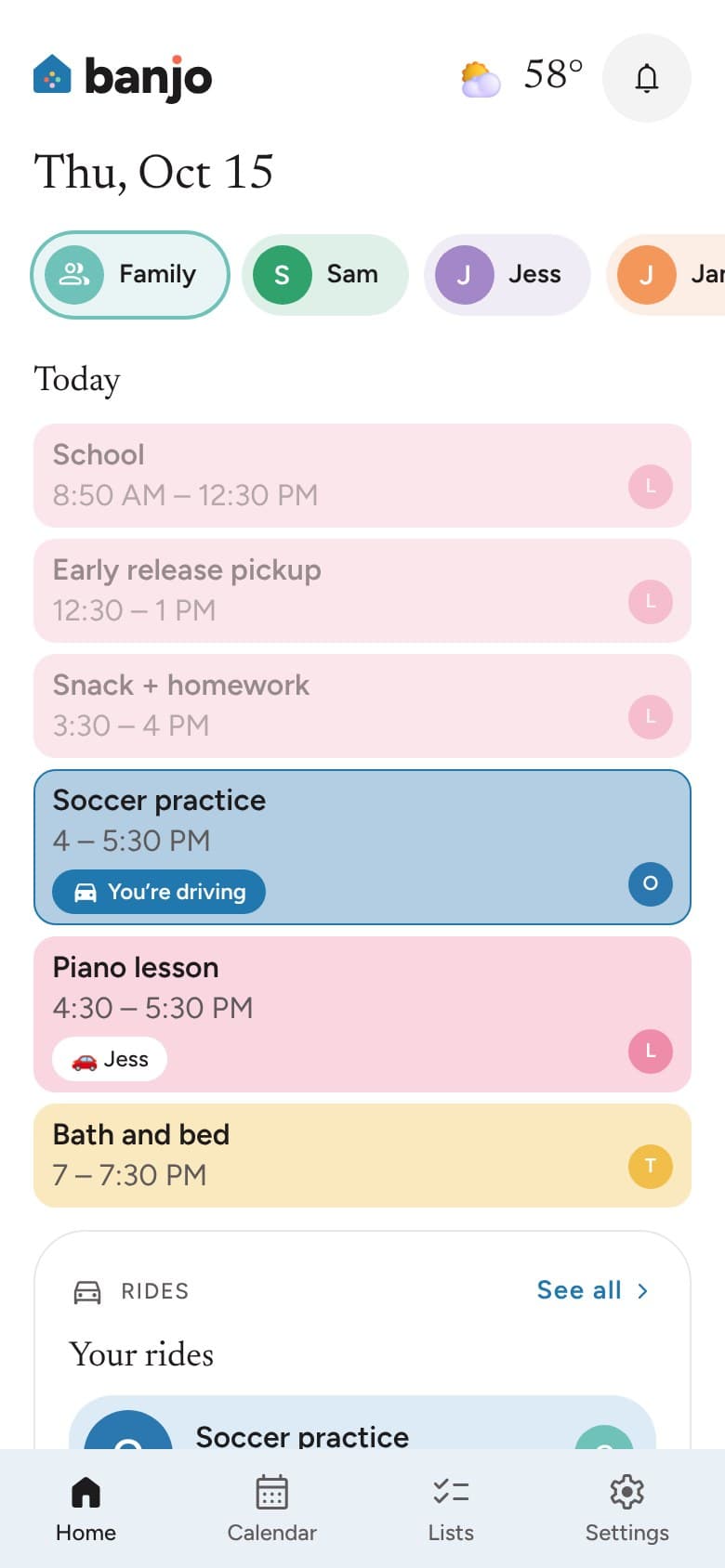
Bring in the people who help
Invite the people who help your family, from grandparents to babysitters. They see the kids’ schedule, and you choose whether they can add to the shopping list or help with chores.
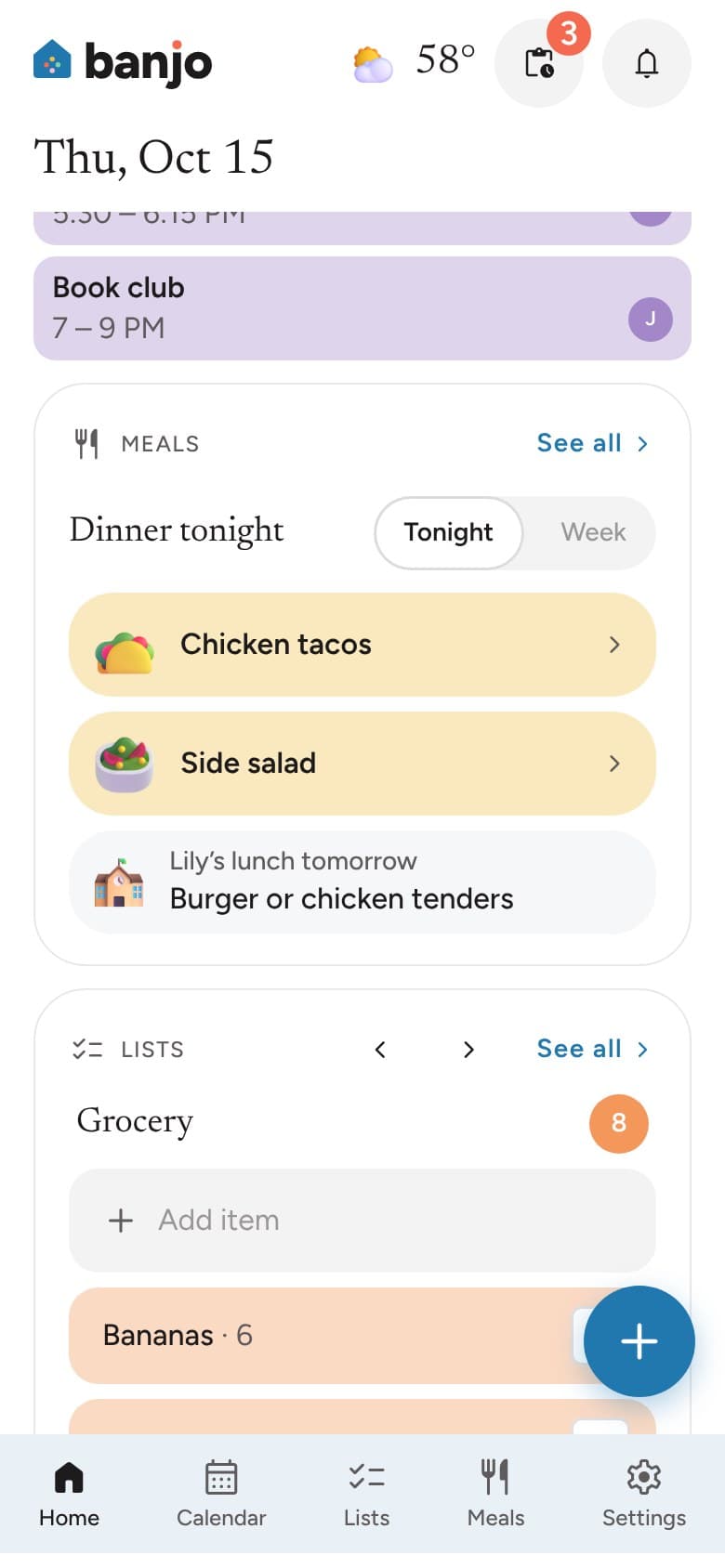
School lunch at a glance
Pick your school once to see the day’s lunch under dinner. For schools that post menus on SchoolCafé.
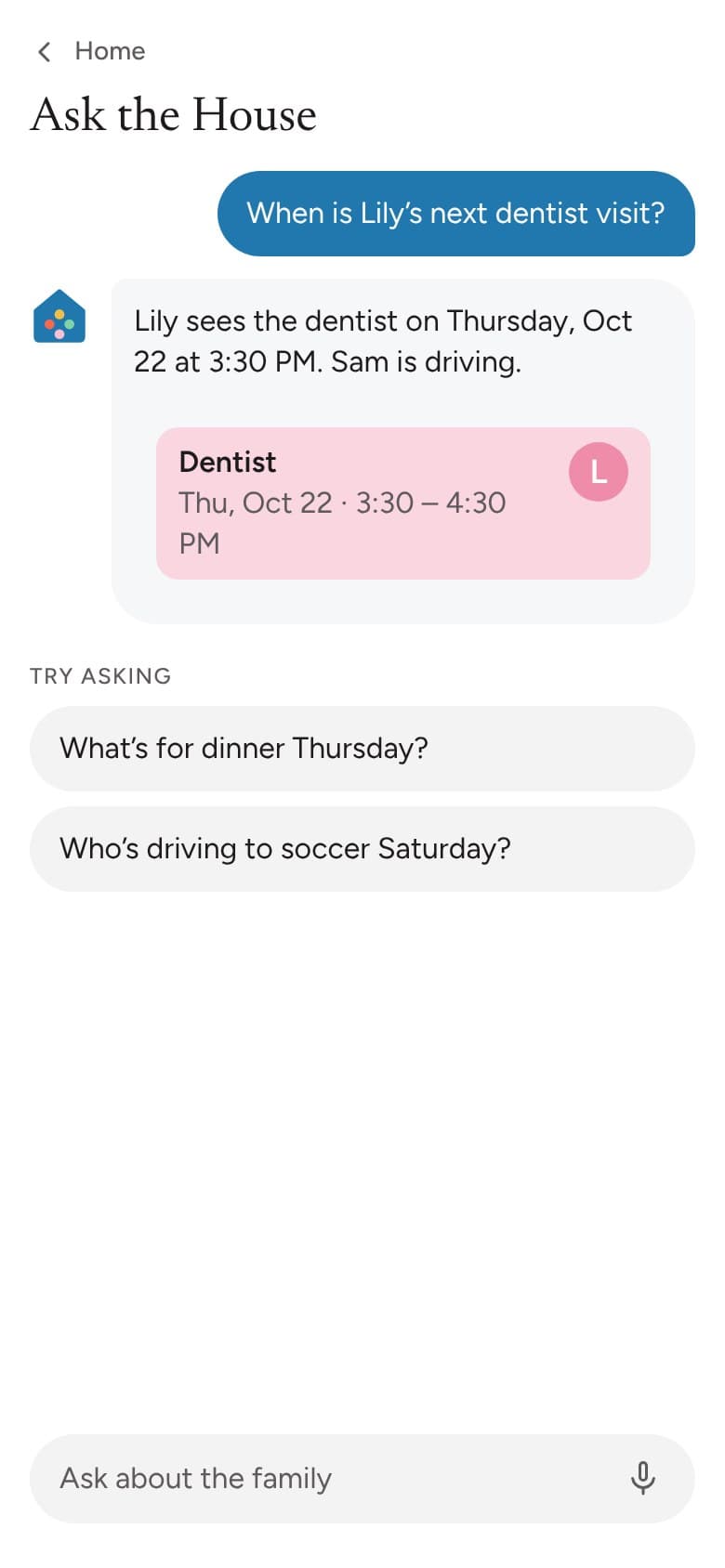
Answers about your weekComing soon
Ask “When is Lily’s next dentist visit?” and get the answer from your family’s own calendar and lists.
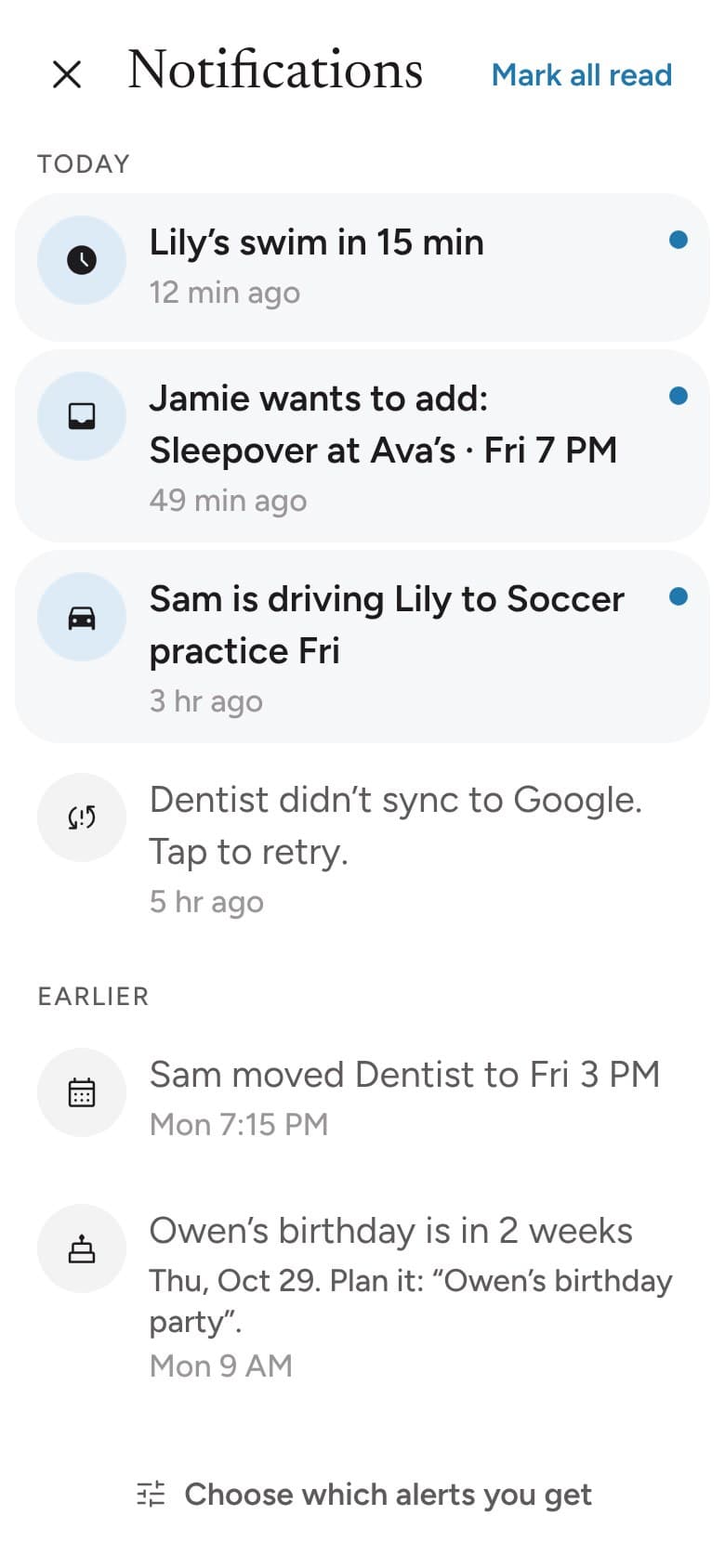
Gentle heads-ups
A note on your phone when a ride needs a driver, a teen asks for something or plans change.
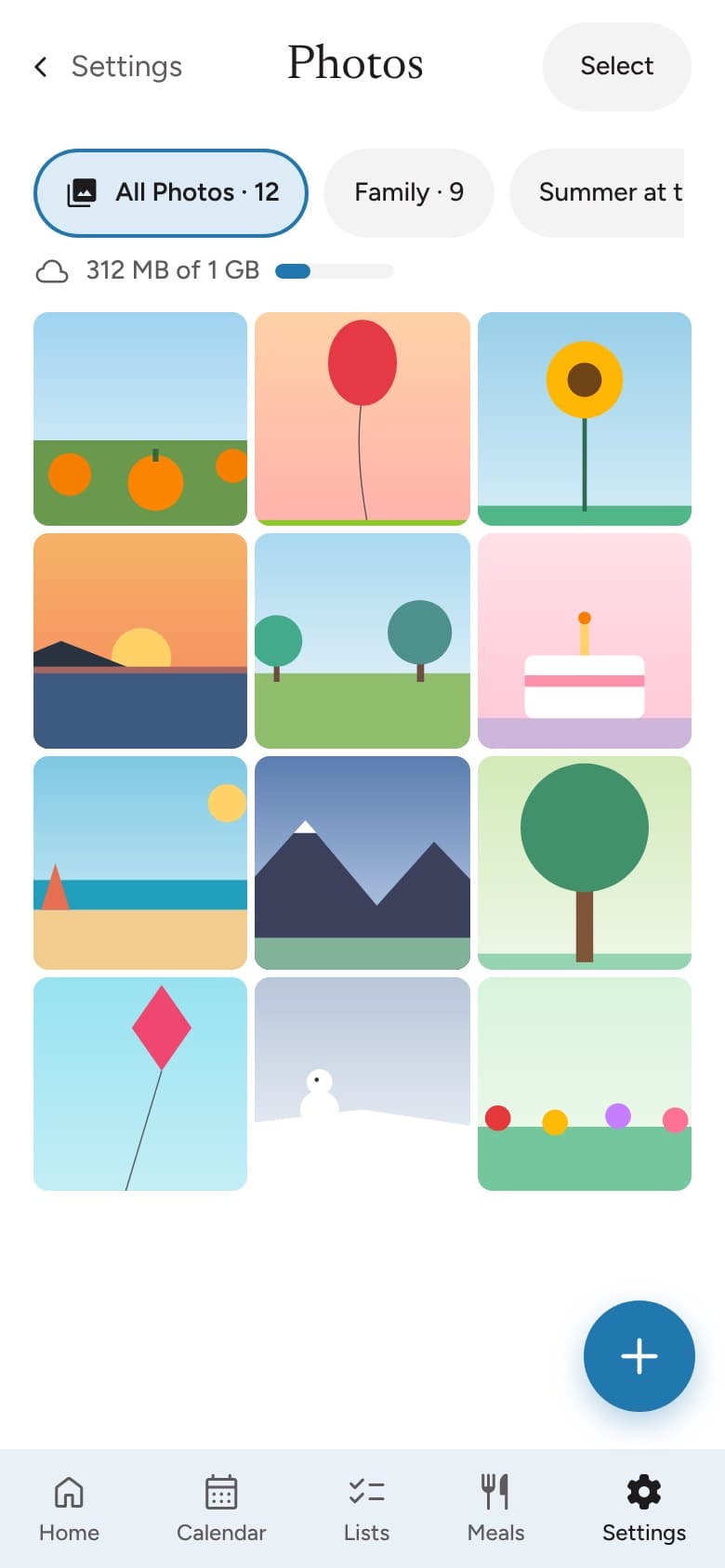
Family photos
Add photos from your phone to shared albums the whole family can see.
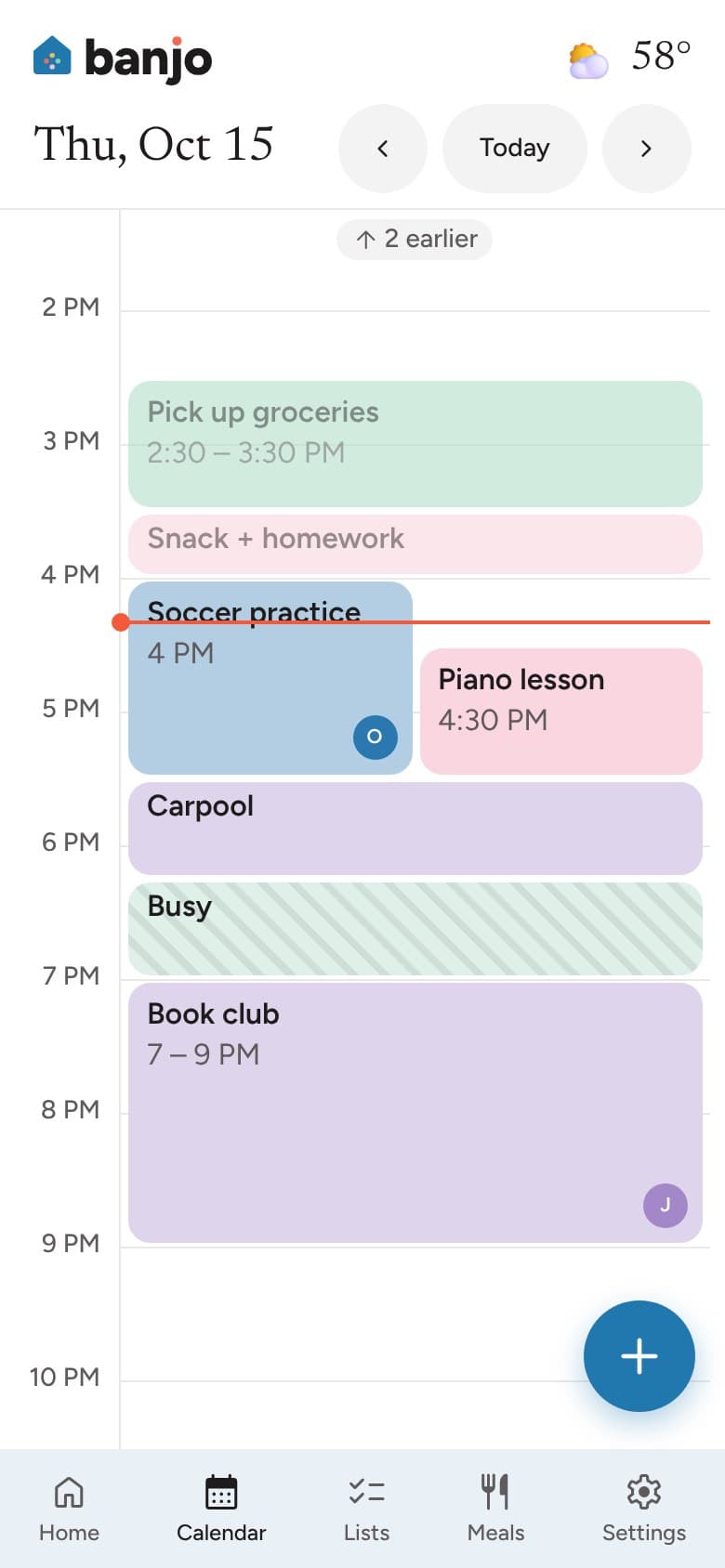
Some plans stay private
Mark an event private. Everyone else sees that you’re busy, and the details stay with you.
How it works
Ready in an evening
- 1
Sign in with Google
Banjo connects to Google Calendar. No new password to remember.
- 2
Add your family
Add the people in your family, pick colors and choose which calendars to show.
- 3
Invite your people
Send a link to co-parents, grandparents, nannies or sitters. Each person sees what fits their role.
Questions
What does Banjo cost?
Nothing. Banjo is free to use, with no trial and no credit card.
Who can we invite?
Co-parents, grandparents, nannies, babysitters and other trusted helpers, plus teens with their own sign-in. Co-parents share everything. Teens see the family calendar and ask before changing plans. Helpers see the kids’ schedule, and parents choose whether they can add to the shopping list or help with chores. Younger kids don’t need an account.
Is our family’s information private?
Yes. Only the people in your household see it, and each person sees what their role allows. We never sell it or use it for ads, and your Google Calendar data is never used to train AI models. The privacy policy has the details.
Which calendars work with Banjo?
Banjo works with Google Calendar both ways. You can also add sports schedules, holidays and calendar links, like a school or team calendar.
Do I need a wall screen?
No. A wall screen is optional, and you can bring your own. Banjo runs in any modern browser, so a tablet, monitor or TV you already have works well, and so does a touchscreen in the kitchen.
What does Coming soon mean?
We’re building those parts now. Everything else is ready today.
Something else? hello@banjoathome.com

Your family, in sync
Make room for more family time.
From calendars and shopping lists to routines and the people who help, Banjo brings the pieces of family life together in one place.
Less keeping track. More being together.